Staff check-in on WhatsApp, in your own Google Sheet.
Your staff tap Start shift, End shift or Job done in the WhatsApp they already use. Each tap becomes one row in a Google Sheet that you own: who, what, when, and a note or a photo when they add one. Nothing to install for your staff, no logins to hand out, no server to run.
Cleaning crews
Each cleaner taps Start shift at the site and Job done with a photo of the finished room.
Field technicians
A short note per visit (“boiler fixed, part ordered”) lands in the Sheet the office already reads.
Shops and cafés
Who opened, who closed, and at what time, without a clock on the wall or an app on every phone.
Building sites
Subcontractors report from their own phones; you see the day at a glance by writing today.
How it works
- You make the Sheet and paste a short script into it (§ 3). Google gives you its address.
- In your pingwa panel, the Staff check-in button creates the three buttons and sends each tap to your Sheet.
- You invite each person with a link. They open it on their phone and send the one message it prepares; that is their consent. From then on they write menu and tap.
Each plan invites a set number of staff (Free 1, Pro 5, Team 10). A bigger team needs a higher plan: see pricing. Each tap counts as one message of your plan.
Set it up in five minutes
- Get your pingwa account: send join on WhatsApp (the button at the end of the page). A key comes back: open the panel and paste it.
- Make the Sheet: a new Google Sheet, then Extensions › Apps Script. Replace what is there with the script in § 3 and save.
- Publish it: Deploy › New deployment › Web app, set Execute as: Me and Who has access: Anyone (pingwa has no Google login). Allow what Google asks (the Sheet, and Drive for photos) and copy the Web app URL. If taps show as failed in the panel's run log and no row appears, this setting is usually the cause: Google answered with its sign-in page, so pingwa counts the tap as not delivered. Open Deploy › Manage deployments, set Who has access: Anyone and deploy again.
- Create the buttons: in the panel, Actions › Staff
check-in, paste the URL. You get three lines, shown once: in the script's
Project Settings › Script properties add each one as it is
(
SECRET_START,SECRET_END,SECRET_DONE). - Invite your staff: type a name, send them the link. Tap Start shift yourself (write menu) to see the first row.
The script
It checks that each request really comes from pingwa before it writes
anything: pingwa signs every request with the button's secret, and the script refuses
a request whose signature does not match, one older than six hours and one it has
written already. The signature only proves the body came from pingwa, not that this is
its first arrival: the URL with its pingwa_signature can be sent again by
anyone who saw it, which is why the age and the event_id are checked too.
The secrets stay in the script's properties, never in the code.
// pingwa staff check-in: one row per report, in this Sheet.
// Nothing secret goes in this code. In Project Settings > Script properties
// add the three lines the pingwa panel shows you once:
//   SECRET_START, SECRET_END, SECRET_DONE  =  <action id>:<whsec_...>
var MAX_AGE_MS = 6 * 60 * 60 * 1000;   // older deliveries are refused
var PHOTO_FOLDER = 'pingwa check-in photos';
var HEADER = ['Time', 'Name', 'Action', 'Answer 1', 'Answer 2', 'Answer 3'];

function doPost(e) {
  var raw = (e && e.postData && e.postData.contents) || '';
  var event;
  try {
    event = JSON.parse(raw);
  } catch (err) {
    return refuse('not JSON');
  }
  var secret = secretFor(event.action_id);
  var given = String((e.parameter || {}).pingwa_signature || '').replace(/^sha256=/, '');
  if (!secret || !given || !same(hmacHex(raw, secret), given)) {
    return refuse('bad signature');   // not from pingwa, or a changed body
  }
  var created = Date.parse(event.created_at);
  if (!(created > Date.now() - MAX_AGE_MS)) {
    return refuse('too old');         // an old request sent again
  }
  var lock = LockService.getScriptLock();
  lock.waitLock(10000);
  try {
    var cache = CacheService.getScriptCache();
    var seen = 'run_' + event.event_id;
    if (cache.get(seen)) {
      return answer('ok');            // a retry of a row already written
    }
    var sheet = SpreadsheetApp.getActiveSpreadsheet().getSheets()[0];
    if (sheet.getLastRow() === 0) {
      sheet.appendRow(HEADER);
    }
    var row = [new Date(created), safe((event.actor || {}).name), safe(event.label)];
    (event.answers || []).forEach(function (a) {
      row.push(cell(a));
    });
    sheet.appendRow(row);
    cache.put(seen, '1', 21600);
  } finally {
    lock.releaseLock();
  }
  return answer('ok');
}

function secretFor(actionId) {
  var props = PropertiesService.getScriptProperties().getProperties();
  for (var name in props) {
    var value = String(props[name]);
    var colon = value.indexOf(':');
    if (name.indexOf('SECRET_') === 0 && colon > 0 && value.slice(0, colon) === actionId) {
      return value.slice(colon + 1);
    }
  }
  return null;
}

function hmacHex(text, secret) {
  return Utilities.computeHmacSha256Signature(text, secret).map(function (b) {
    return ('0' + (b & 0xff).toString(16)).slice(-2);
  }).join('');
}

function same(a, b) {                 // compares every character, not up to the first miss
  if (a.length !== b.length) {
    return false;
  }
  var diff = 0;
  for (var i = 0; i < a.length; i++) {
    diff |= a.charCodeAt(i) ^ b.charCodeAt(i);
  }
  return diff === 0;
}

function cell(a) {
  var v = a.value;
  if (v === null || v === undefined) {
    return '';
  }
  if (a.type === 'photo' && v.url) {
    return photo(v.url);
  }
  if (a.type === 'location') {
    return v.lat + ',' + v.lng;
  }
  return safe(v);
}

function photo(url) {                 // the link pingwa sends works for 5 minutes: keep a copy
  try {
    var found = DriveApp.getFoldersByName(PHOTO_FOLDER);
    var folder = found.hasNext() ? found.next() : DriveApp.createFolder(PHOTO_FOLDER);
    return folder.createFile(UrlFetchApp.fetch(url).getBlob()).getUrl();
  } catch (err) {
    console.warn('pingwa: photo not saved: ' + err);
    return 'photo: see the pingwa run log';
  }
}

function safe(v) {                    // a cell never runs as a formula
  var s = v === null || v === undefined ? '' : String(v);
  return /^[=+\-@]/.test(s) ? "'" + s : s;
}

function refuse(why) {
  console.warn('pingwa: refused, ' + why);
  return answer('refused');
}

function answer(text) {
  return ContentService.createTextOutput(text);
}
What you get
One row per tap, newest at the bottom, in the Sheet's first tab. A photo is copied to a Drive folder pingwa check-in photos and the cell links to it.
| Time | Name | Action | Answer 1 | Answer 2 |
|---|---|---|---|---|
| 14.11.2026 07:58 | Marek | Start shift | ||
| 14.11.2026 12:31 | Marek | Job done | Boiler fixed | drive.google.com/… |
| 14.11.2026 17:02 | Marek | End shift |
From your own phone, write today to the pingwa number: one line per person with their last tap of the day, such as Marek — End shift, 17:02. The run log in the panel has every tap too, with a CSV download.
Prefer n8n, Make or Zapier?
Each tap is one signed POST (event action_report), so any
tool with a webhook can take it. These tools read headers, so their buttons do not
need the Apps Script setting: create the three report actions with the tool's webhook
address as target_url (llms.txt has the API).
n8n
Import pingwa-check-in.n8n.json: a
Webhook, a Code step that checks the X-Pingwa-Signature header, and a
Google Sheets row written as plain text (never a formula). The secrets stay out of
the workflow: set three environment variables on your n8n,
PINGWA_SECRET_START, PINGWA_SECRET_END and
PINGWA_SECRET_DONE, each <action id>:<whsec_...>
(the same lines as the script's properties; in Docker, -e or the
compose file's environment:), then restart n8n. A self-hosted n8n also
needs NODE_FUNCTION_ALLOW_BUILTIN=crypto, and
N8N_BLOCK_ENV_ACCESS_IN_NODE=false where it blocks the Code step from
reading them. With none set, the Code step fails and says so.
Make
- Add Webhooks › Custom webhook and copy its address.
- Turn on getting the request headers and the raw body.
- Add a filter that compares
sha256=+ the HMAC-SHA256 of the raw body (your action's secret as the key, hex) with theX-Pingwa-Signatureheader. - Add Google Sheets › Add a row: time
created_at, nameactor.name, actionlabel, then each answer'svalue.
Zapier
- Trigger Webhooks by Zapier › Catch Raw Hook and copy its address.
- Add Code by Zapier (Python): compute
hmac.new(secret, raw_body, sha256)and stop unless"sha256=" + hexdigestequals the signature header. - Add Google Sheets › Create Spreadsheet Row with
created_at,actor.name,labeland the answers.
The Make and Zapier steps follow those products' own webhook modules; we have not run them there. The n8n workflow's check and the Apps Script above are tested against real signed requests from a pingwa server.
FAQ
Do my staff need an app or an account?
No. They need WhatsApp and the link you send them. Their first message is the consent; after that they write menu and tap. They see only these three buttons, never your other messages, and stop ends it from their side. You remove someone at any moment from the panel, or by writing remove and their name.
Where is the data?
In your Google Sheet and Drive, under your Google account. pingwa also keeps each tap in your panel's run log for your plan's history days, and never shares it.
Can they check in from home?
The log records what was tapped and when, not where. Add a location question to a button if you need one; the person chooses to share it.
Can I change the buttons?
Yes: rename them, or add a question (a number, a choice, a photo). Every button
that sends to the Sheet needs its secret in the script's properties as one more
SECRET_ line.
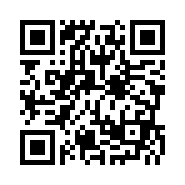
Scan the code. It opens WhatsApp with “join” ready to send, and the key for your panel comes straight back.